Payment on NET 30 terms
- What is a NET 30?
- How do I configure NET.30?
- Can I configure deferred payment?
- How to use the NET.30 at the checkout?
- Can company accounts use NET 30?
NET.30 is functionality to enable deferred payment as a payment method and set the deadlines for debt acquittance with some distinctive merit: deferred payment as a payment method; debt acquittance period set-up; eligibility restriction by customer group; overdue payment backend-monitoring and automatic email notifications; order status set-up for payment deadline countdown.
What is a NET 30?
NET.30 feature is to enable a deferred payment on the store and configure it for timely payback. It, furthermore, allows specifying customer groups eligible for the method, as well as monitoring their overdraft payments with a grid and pre-configured automatic notifications.
How do I configure NET.30?
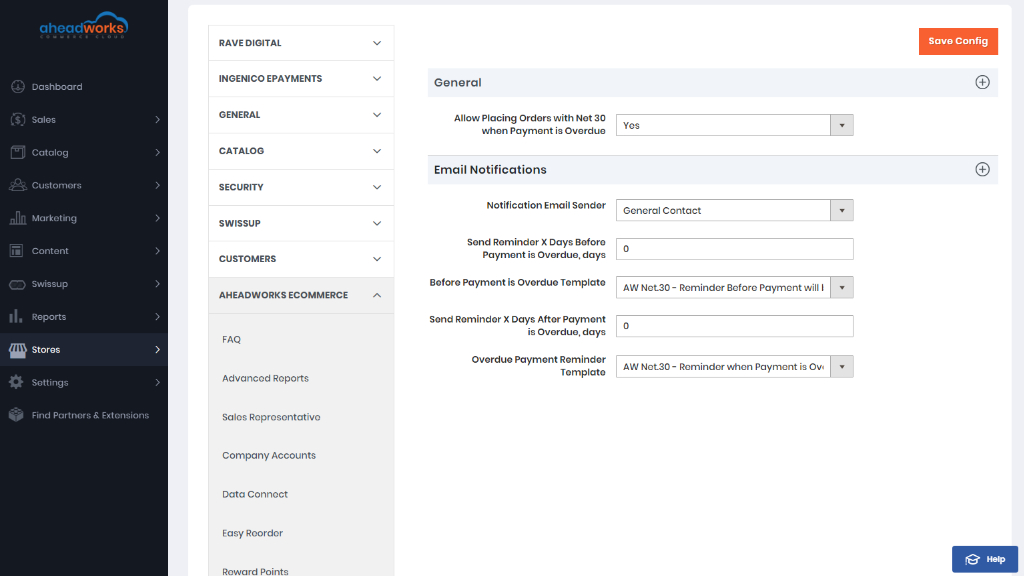
To configure NET.30, follow to the NET.30 configure page. Here you can configure general settings, email notifications settings.
Can I configure deferred payment?
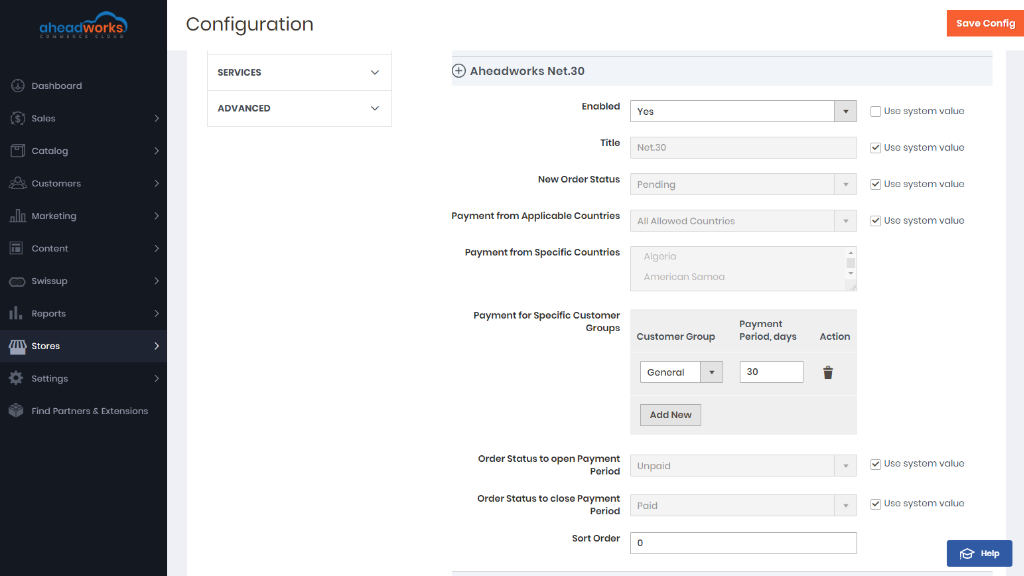
To enable the deferred payment method and customize it for various clusters of customers follow the NET30 payment methods configuration page.
|
There have been two custom statuses: Paid and Unpaid. The two have been assigned to order state Complete. By default, the order status to open payment period is Unpaid, and to close - Paid. Thus, when purchasing on deferred payment terms customers will place orders, receive invoices, get the goods shipped, and only since then take the time specified to pay back the debt, should other configuration be not suggested. |
How to use the NET.30 at the checkout?
NET.30 is integrated into the checkout functionality.
Customers eligible for the Net.30 deferred payment will see it as an option on the list of payment methods at checkout. Ticking the corresponding radio-button shoppers will be asked to indicate their billing and shipping addresses, as well as to provide a purchase order number. Shoppers do the latter within the Purchase Order Number text-box. They are free to enter a line of any characters but to match their internal standards and regulations.
|
The logic of the NET.30 and that of the deferred payment method does not presume customers' entering any details of their credit card. |
Also you can use Checkout with Multiple Addresses from the cart by clicking on the active link.
The link will redirect customers to the page where addresses are to be specified. Shoppers will also be able to alter the quantity of the products in cart or remove the items from the list.
Clicking the Go to Shipping Information blue button on the left will take you further into the process.
On the next step, the Billing information page will feature all the available for multi-address payment methods. Clicking on the corresponding radio-button and selecting NET.30 will ask customers to enter a PO number and proceed with the Go to Review Your Order button.
Can company accounts use NET 30?
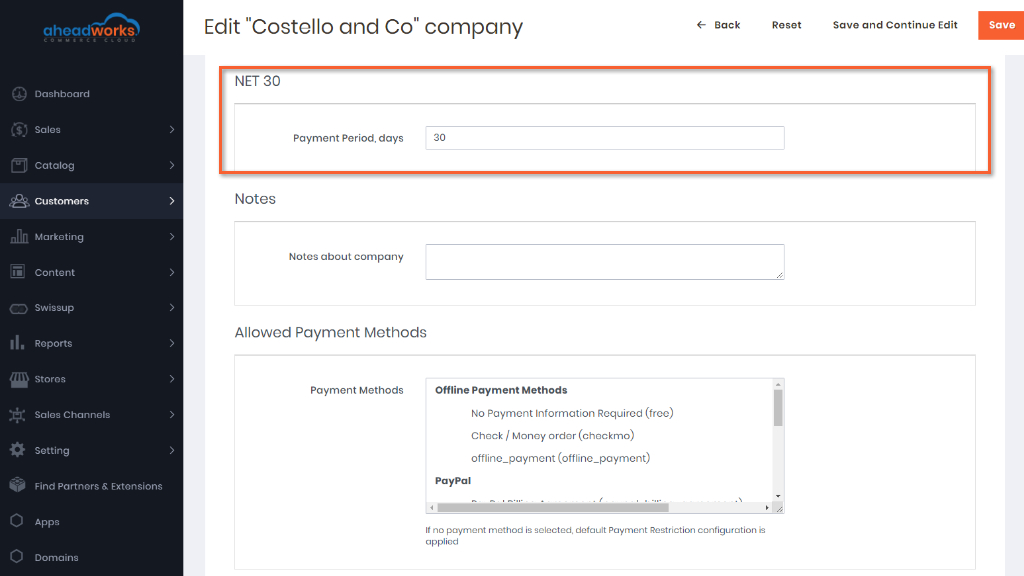
Store Admin can enter the payment period for the NET 30 payment method for certain companies from the backend.