Reporting Management
- Marketing
- Reviews
- Sales
- Customers
- Products
- Statistics
- Business Intelligence
- Customer Engagement
- Advanced Reports
The Reports menu provides a wide selection of reports to keep you informed on your marketing efforts, sales products, and customer activity. From here you have easy access to current information about your sales, products, customers, and promotions.
Click here for detailed information.
Marketing
A selection of marketing reports, including Products in Cart, Search Terms, Abandoned Carts, and Newsletter Problem Reports.
Reviews
The selection of product review reports includes By Customer and By Product.
Sales
The selection of sales reports includes Orders, Tax, Invoiced, Shipping, Refunds, Coupons, and settlement reports for PayPal and Braintree.
Customers
The selection of customer reports includes Order Total, Order Account, New, Wish Lists, and Segments.
Products
The selection of product reports includes Views, Bestsellers, Low Stock, Ordered, and Downloads.
Statistics
Statistics is a tool that reduces the performance impact of generating reports by calculating and storing statistical data. Rather than recalculate the statistics every time a report is generated, the stored statistics are used until you refresh the statistics.
Business Intelligence
Integrated Business Intelligence tools provide the insight you need to make strategic business decisions.
Customer Engagement
The Customer Engagement reporting provides data import and report options for Engagement Cloud.
Advanced Reports
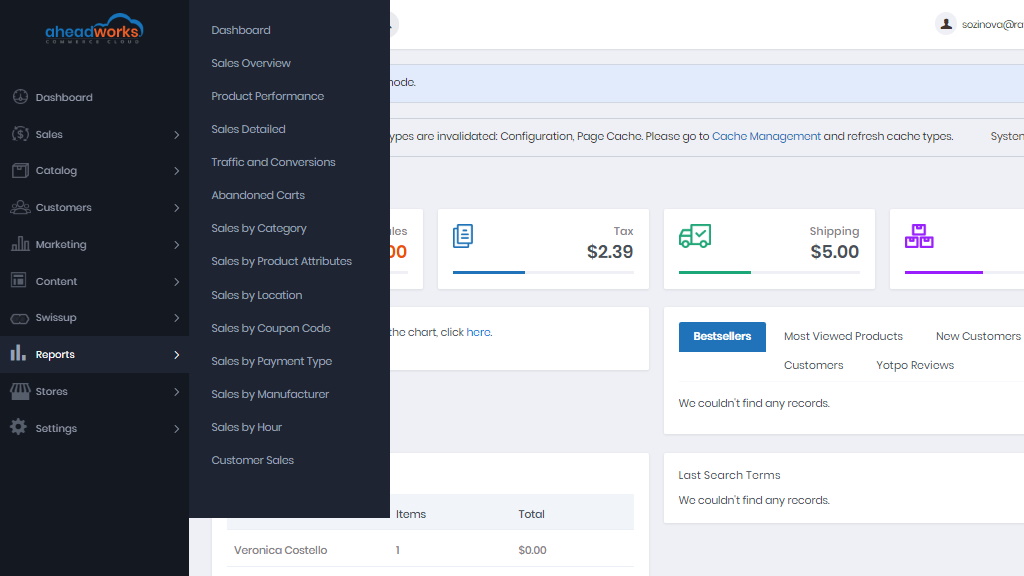
The dashboard shows 10 configurable widgets to reflect on the overall performance of the store.
- The Sales Overview is the general sales report, lists the number of orders, quantity of sold products, net sales, grand total, discounts, and returns, etc;
- The Product Performance lists the sales-per-product report;
- The Sales Detailed lists the sales-per-order report;
- The Traffic and Conversions lists conversion rates (ratios of unique visitors to orders they placed) against the given periods;
- The Sales by Category report represents information on which product groups customers enjoy greater popularity and restock accordingly;
- The Sales by Product Attributes report lists sales-by-attribute (set of attributes) report (only attributes with the 'Use for Promo Rule Conditions' option enabled are processed);
- The Sales by Location report represents information about your customers' geolocation and get access to the sales data by countries;
- The Sales by Coupon Code report represents sales-by-discount information;
- The Sales by Payment Type report represents a sales-by-payment type report to tell the number of orders placed and items ordered per payment method;
- The Sales By Manufacturer report lists a sales-by-manufacturer report to analyze sales perspectives per manufacturer;
- The Customer Sales report suggests details on purchases within the given sales ranges.
Advanced Reports Settings
The general settings of the extension can be accessed from Stores > Configuration > Aheadworks Ecommerce > Advanced Reports
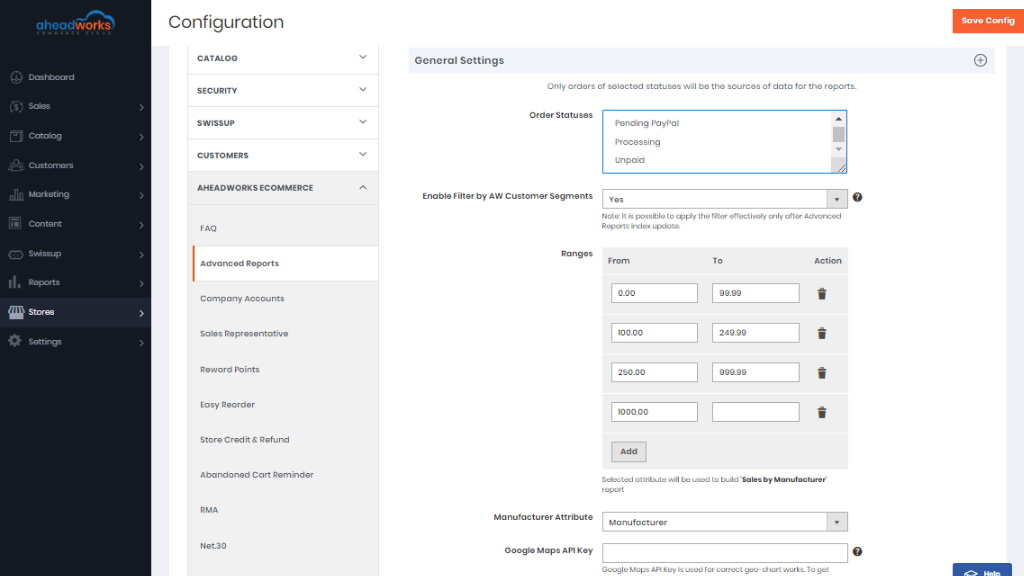
The General Settings block allows tweaking:
- Order Statuses - select orders to provide data for the reports. By default, only 'Complete' orders will be processed;
If required, you can select multiple order statuses using either of the two hot-keys: press Shift, hold Right Button, select to select a group of orders or press CTR, click right button to select order statuses one by one.
Specifying order statuses herein will extend the selection over all the reports. See Configuring Reports above for individual configuration of reports.
- Ranges - set price ranges to be used by the 'Customer Sales' report;
- Manufacturer Attribute - the product attribute to be used as the key parameter within the 'Sales by Manufacturer' report. The dropbox lists the following options: 'Manufacturer', 'Color', 'Size', and 'Format';
Google Maps API Key - set it up to provide the correct work of Geo chart Sales by Location report.
If you don’t have a valid Google Maps API Key follow the link to get detailed instructions on its creation.
There are two API's you have to enable in the APIs tab Google Cloud Platform for the correct work of the extension:
- Maps JavaScript API;
- Geocoding API.
To verify these settings, please follow the link.
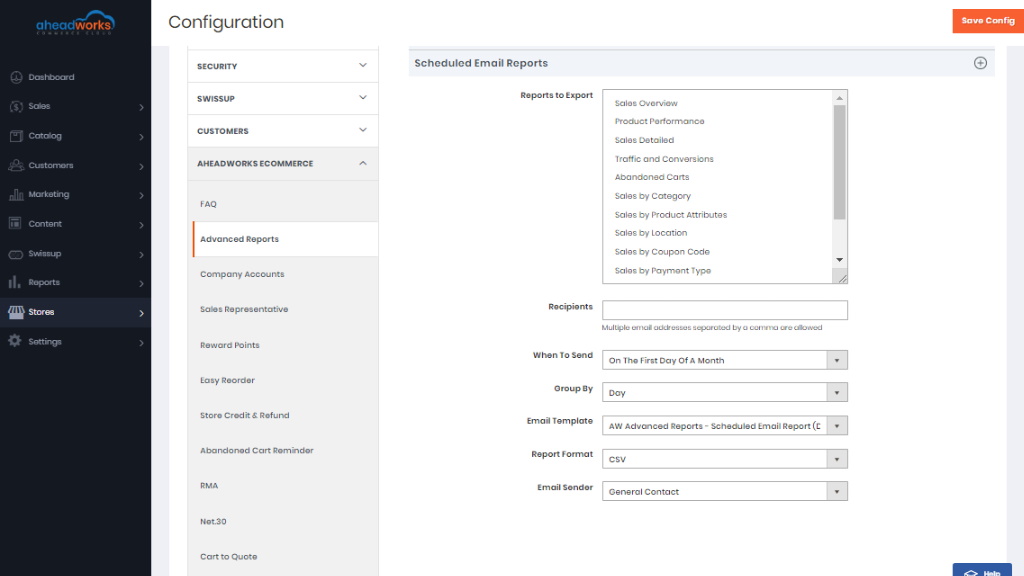
The Scheduled Email Reports block allows tweaking:
- Reports to export - a list of all available in the extension reports (multiselect is possible);
- Recipients - email addresses of the recipients (separate addresses with a comma);
- When to send - trigger event for email dispatch (select one of the three: first day of a week/month/quarter);
- Group by - grouping criteria (select one of the five: day/week/month/quarter/year);
- Email Template - selection of email templates (AW Advanced Reports - Scheduled Email Report by default);
- Report Format - a format of the attachment document to contain the report (Excel XML or CSV);
- Email sender - a selection of email senders as configured in the store.
|
Leave the Recipients field blank to disable scheduled emailing of reports. |